Simple Mine Management
HazView gives every worker an interactive map to manage hazards, track compliance and generate reports.
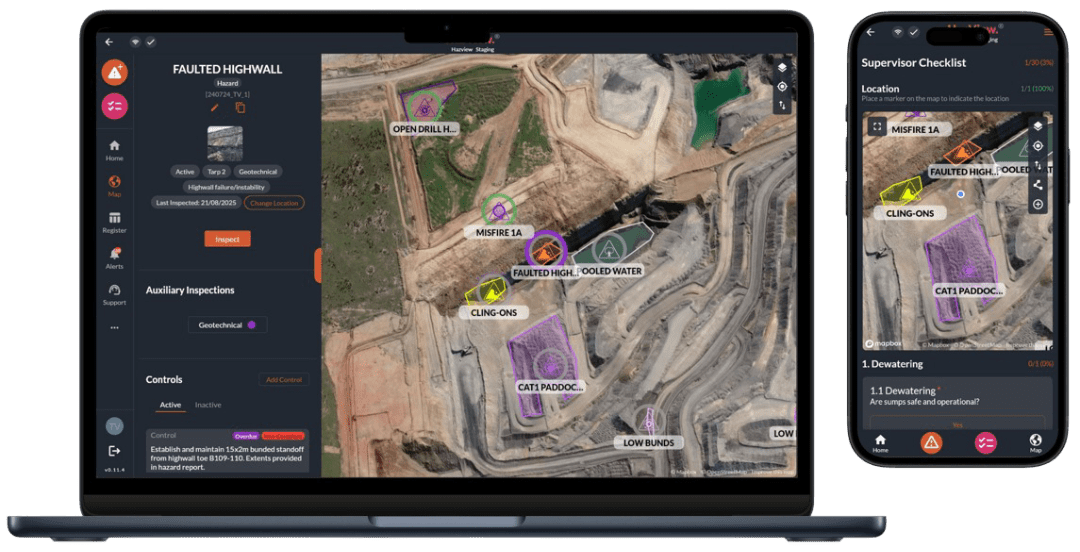
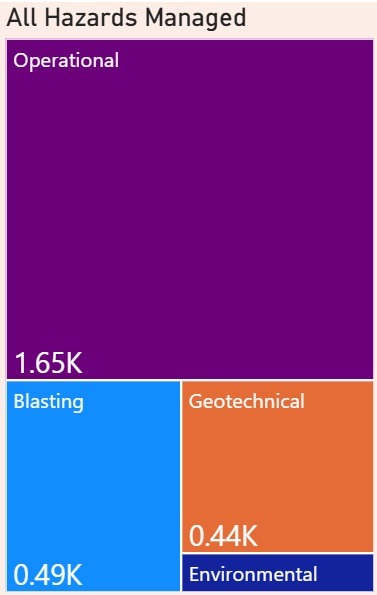
We’ve helped mines manage thousands of hazards and features.
What can HazView do?
One interactive map for the whole site — from the pit to the planning office.
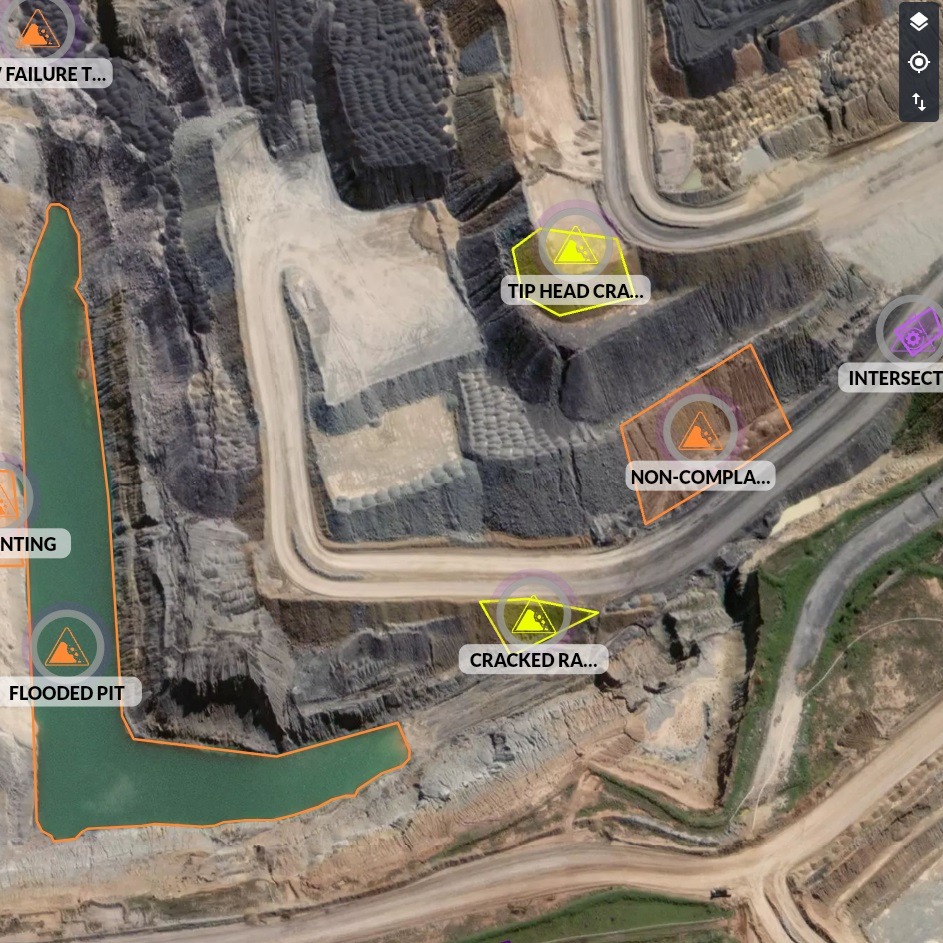
Hazard Map
HazView is designed to work both online and offline. Take your tablet, mobile phone or laptop into the field with you. When you’re offline HazView continues to work – when you come back online, all your data is synced to the cloud.
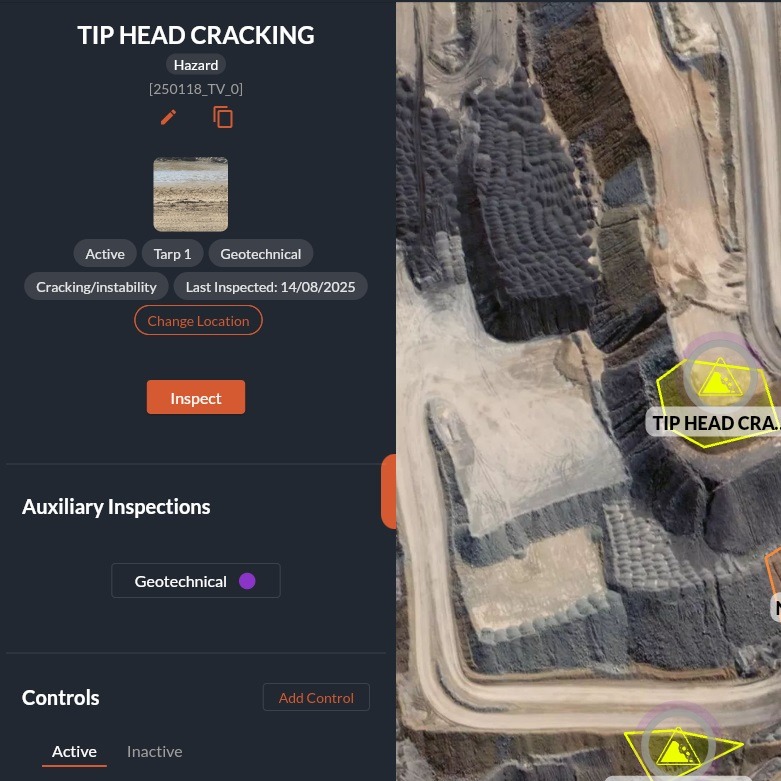
Inspections
HazView lets users log inspections of hazards, areas and features. This information can be fed into automatically generated reports. Different inspection types can be enabled for different roles.
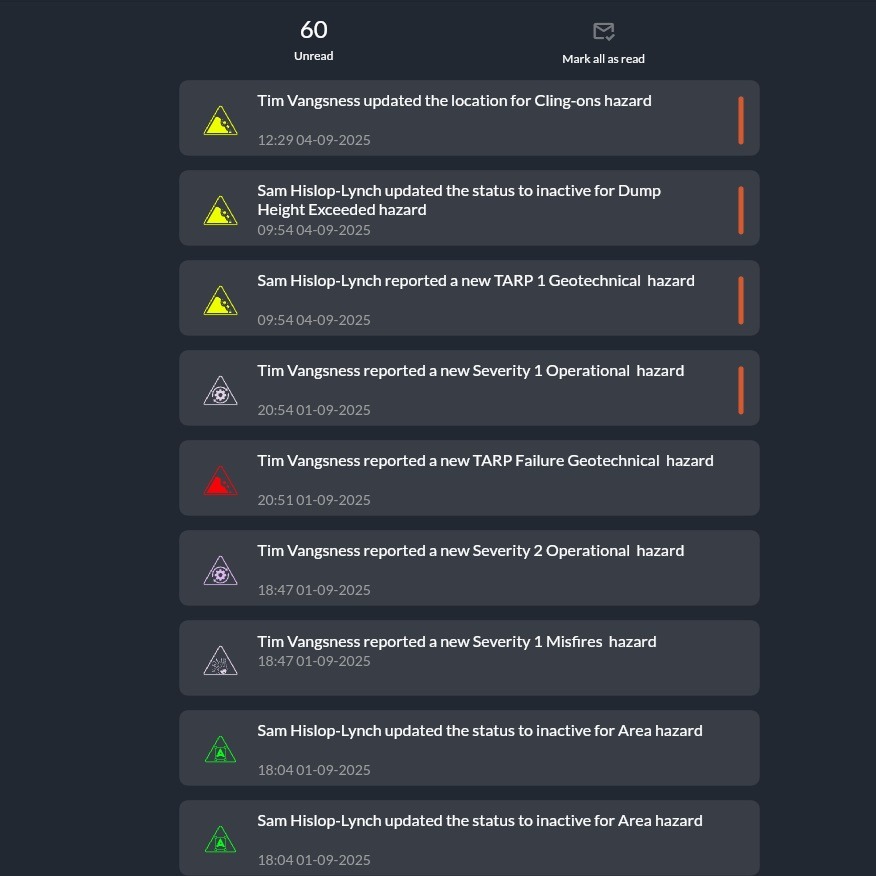
Alerts
Any time a significant change is made, in-app alerts are generated for all users. For certain events such as a new geotechnical hazard, emails can also be automated and sent to specific roles.
Checklists
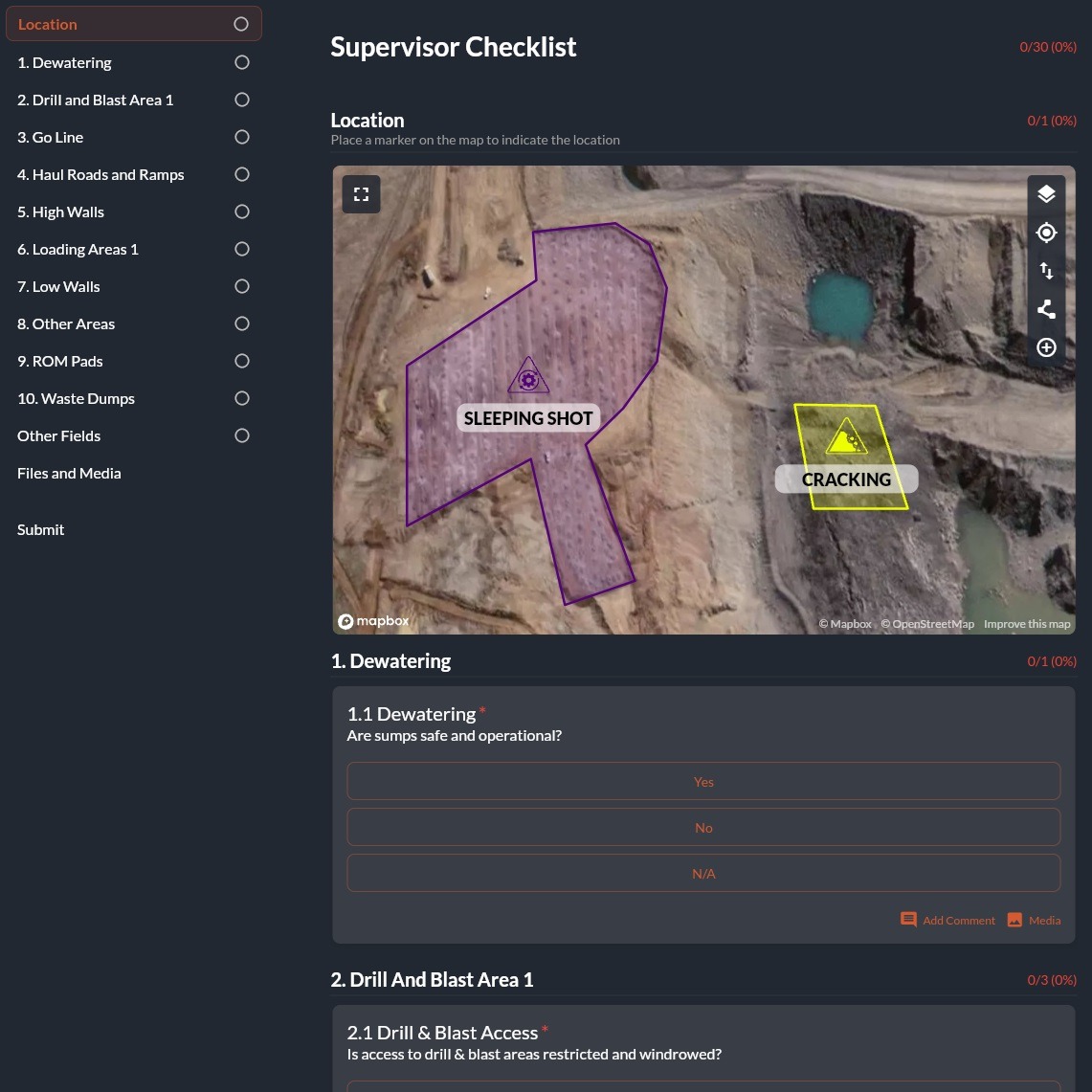
HazView has in-built checklists. These are fully customisable and are stored permanently. From intersections to gas checks, anything is possible including georeferenced forms and digital signatures.
Reports
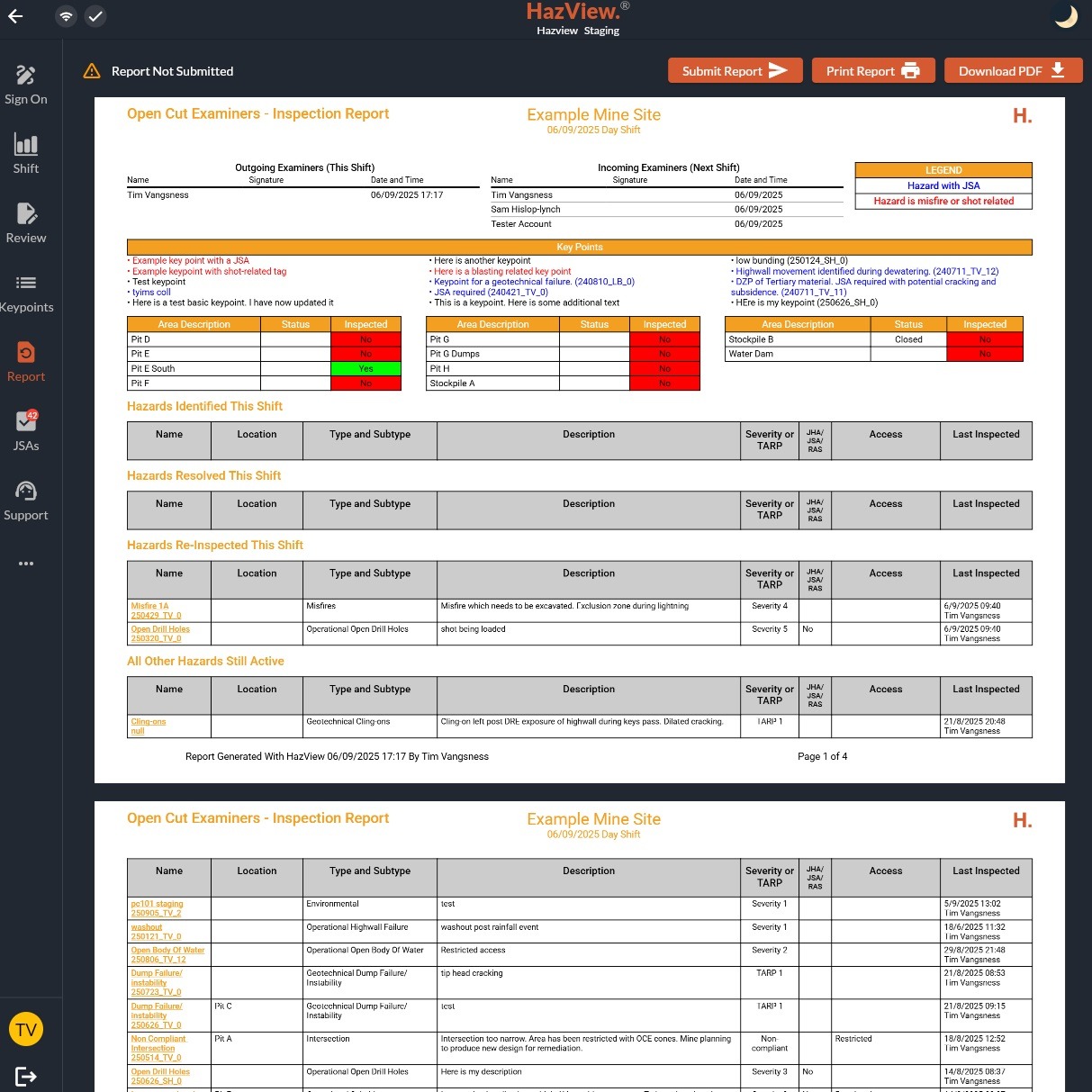
Shift-based statutory reports can be generated with the click of a button and update live with any changes made within HazView. The format can be customised to your sites requirements.
Support
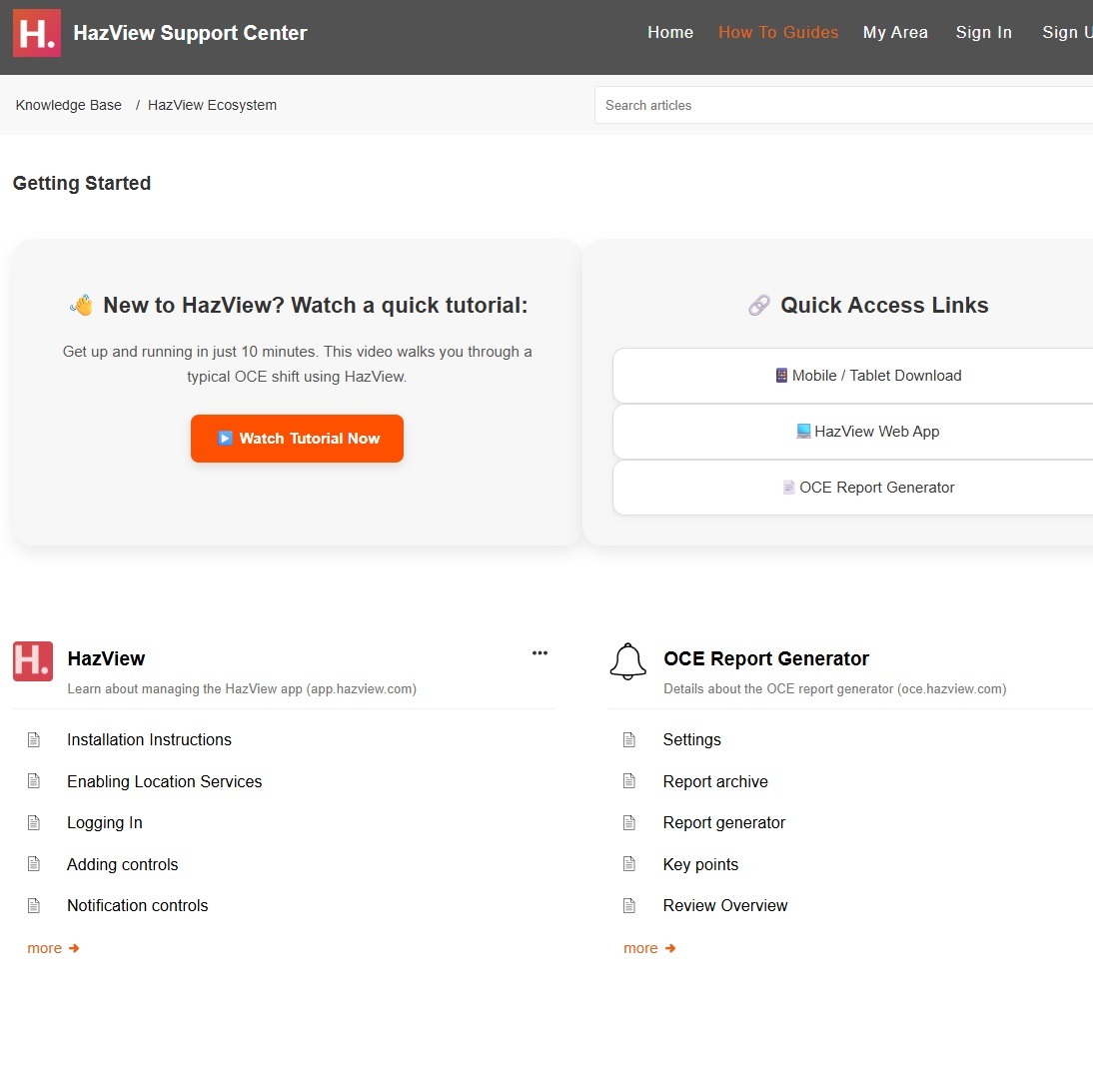
HazView prides itself in providing world-class support with full click-by-click documentation, ticketing and locally based phone support.
Turn your data into insights.
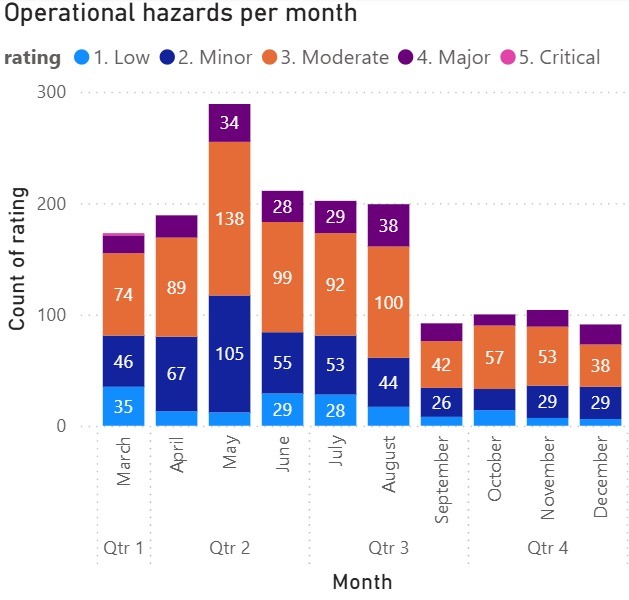
Spot safety trends before they become incidents. Turn hazard data into actionable insights with Business Intelligence. HazView’s RestAPI lets you analyse patterns, monitor critical risks, and make proactive decisions that keep your site safer.
Watch a quick 3 minute overview
What the crews say about HazView
Real, verbatim feedback from the people using HazView in the field during our site trials and live use, with names and site details removed. Pick a role to see only what those users said.
“Reliable, intuitive and user-friendly” — and it puts live hazards on supervisors’ phones and tablets in the field.
“Over the past couple of years, our current system has resulted in a significant amount of wasted time and frustration. On numerous occasions it has failed to generate the required OCE reports, forcing OCEs to manually prepare and…
Read full response →“Excellent. Interactive. Fast.” A clear step up from a current system branded “a basket case”.
“I find our current system extremely frustrating and it wastes an inordinate amount of my time. Almost every shift I have to re-boot, usually several times, and often re-download the app just to get it to work. Reports can take up…
Read full response →“Hands down a better program for our role” — the statutory report is out immediately, and still editable.
“HazView’s been way more reliable and easier to use, and it rolls everything into one program instead of juggling a few different tools. Big one for me is being able to get the OCE report out immediately once finished and still tw…
Read full response →“Like comparing a horse and cart to a fighter jet.”
“Our current system report generation is extremely poor; more often than not I will have multiple attempts generating the report. At times we have to manually adjust the previous day’s report because it won’t generate at all, lead…
Read full response →“Anything less than a full roll out would be inadequate.”
“Software interface is fantastic, extremely easy to use, screen stays clean and simple but all the information needed is readily available. Useability as a phone app completely changes the game and far exceeds our current capabili…
Read full response →Capturing inspections and photos in the field “significantly reduced the time to complete a pit inspection”.
“At the moment our process involves visiting the dig area, taking photos, speaking with supervisors and operators, then returning to the office to manually transfer photos and notes into an Excel-based inspection report — extra ad…
Read full response →Is it hard to get started?
Setting up HazView on site will be one of the easiest things you do. A trial runs four weeks alongside whatever you use today, so nothing has to stop.
Week, relative to the start of the trial